
Live Transcription
Real-time transcription as you speak
Live Transcription fills a transcript while people are still talking, instead of at the end of a recording.
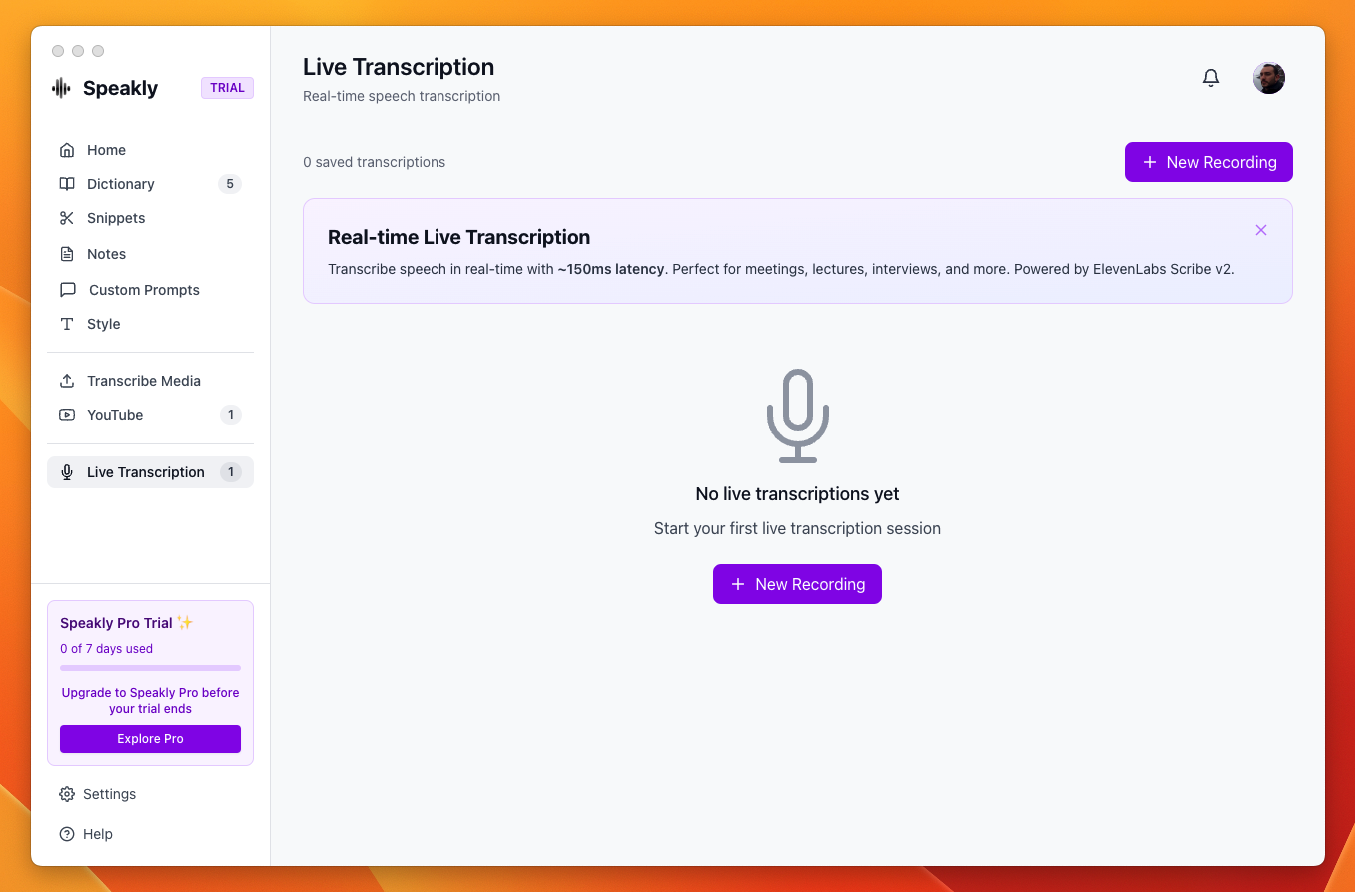
How to use
- Open Live Transcription in the sidebar and click New Recording
- Set Speech Language
- Click Start Recording
- Pause suspends capture, Resume picks it up again, Stop & Save ends the session
- In the Save Transcription dialog, fill in Title and save. The app hints "Tip: Configure post-processing in Settings to auto-generate titles" — with post-processing configured, a title is suggested for you
Two tracks: your mic and the system audio
Speakly can transcribe what your computer is playing — the other participants in a meeting, a video — as a second, fully independent track. That is how you get both sides of a call: your microphone is one track, everything coming out of your speakers is the other. The two tracks run their own voice activity detection and their own transcription requests in parallel, so a loud remote speaker cannot drown out your microphone.
Turning it on
- Open Live Transcription → New Recording, but do not press Start Recording yet
- Switch on Also capture system audio — "What your computer plays (participants, videos) is transcribed as its own track"
- Press Start Recording. The switch is disabled while a session is running or paused, so it has to be set beforehand
- The choice is remembered between sessions (stored as the
liveCaptureSystemAudiosetting)
The row only appears when system-audio capture is available on your platform and the engine is not the ElevenLabs realtime stream — the Google stream transcribes both tracks.
Platform support and permissions
- macOS: a bundled ScreenCaptureKit helper captures the system output, so macOS asks for Screen Recording permission the first time. If it is denied, the session continues with the microphone only and Speakly shows "System audio unavailable (…) — recording microphone only. Check Screen Recording permission in System Settings → Privacy & Security."
- Windows: WASAPI loopback through the app's display-media handler — no helper binary and no separate permission prompt
- Linux: not supported; the toggle does not appear
What the transcript looks like
- In a dual-track session, one line per phrase, prefixed with the wall-clock time it was spoken, e.g.
[14:32:07]. A microphone-only session is one flowing paragraph with no prefixes. - On screen the timestamp is colour-coded by source: purple for your microphone, blue for the system audio — as the page's own footer puts it, "purple timestamps are your mic, blue ones are the system audio"
- A line appears as
…the moment speech starts and fills in when its text arrives, so lines never reorder when one track answers slower than the other - The saved dual-track transcript names the speaker in the text itself:
[14:32:07] You: …for your microphone,[14:32:07] Them: …for the system audio. The colour exists only on screen, so writing the speaker into the line is what makes attribution survive saving and copying.
Muting one track
During a dual-track session the header shows a level meter per track. Click the microphone icon to mute your mic, or the speaker icon to mute the system audio: capture stays up, but nothing from that track is transcribed — or billed — until you unmute. Useful when you only want the other participants, or only yourself.
Meeting notes
Open a saved dual-track session from the list and the footer offers Meeting notes, whose tooltip reads "Summary, decisions and action items, attributed to each side". Because the transcript says who spoke, the output can too.
- Summary — three to six sentences on what the meeting was about and where it landed
- Decisions — one bullet each, saying who decided; "Nothing was decided." when nothing was
- Action items — one bullet each as You — … or Them — …, with the deadline if one was said; "No action items." when there are none
- Open questions — what was raised and left unresolved; "None." when there is nothing
You: or Them:, and only when a post-processing provider is configured (the AI actions also need Pro — otherwise they are disabled with "Upgrade to Pro to use AI features"). Sessions saved before the speaker was written into the text have timestamps but no names, cannot be attributed after the fact, and do not get the button.What you get
- Live text: partial updates on the ElevenLabs and Google streams, phrase by phrase on the chunked path
- Level meters driven by the real captured signal, one per track
- Per-track mute in dual-track sessions
- Copy to clipboard and save to history
- AI actions on a saved transcription: Flashcards, FAQ, Ask, Translate
- Meeting notes on a saved dual-track session: summary, decisions, action items per side, open questions